Photo Asset Management for Restaurant Groups
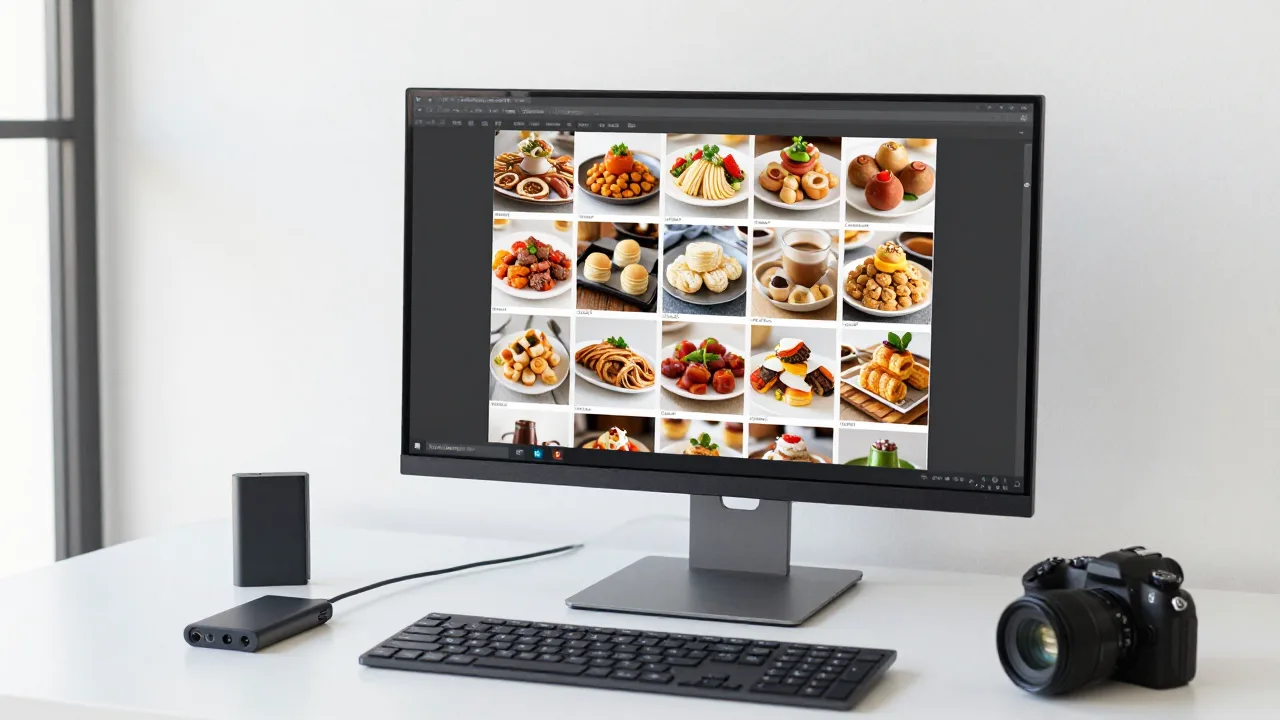
It is 10:40 on a Tuesday night and somebody needs the brisket photo. Not the one on the website -- the other one, the good one, from the shoot two summers ago, the version without the wooden board that the delivery platform kept rejecting. It exists. Everyone remembers it. It is somewhere in a shared drive, or on the old marketing coordinator's laptop, or in an email thread with a photographer who no longer answers.
Nobody finds it. Somebody uses the second-best photo instead. And that is how a $4,000 shoot quietly depreciates into a folder called Photos_FINAL_v3_use_this_one.
The waste here is bigger than it looks. Restaurant groups spend real money on photography and then lose access to most of it within eighteen months. Files scatter across drives and phones. Nobody knows which version is approved. A location publishes a two-menu-cycles-old image of a dish that has been reformulated. The same photo gets re-exported at the wrong dimensions for the fourth time because nobody saved the export preset. When a new platform launches and asks for 47 images in a specific aspect ratio, the answer is a week of scrambling instead of an afternoon.
None of this requires expensive software to fix. It requires four decisions, made once, and then held.
The Four Layers Every Photo Library Needs
Think of your image library as four distinct layers, each with a different job. Most restaurant groups collapse them into one messy folder, which is precisely why they break.
Layer 1: The master archive
Untouched original files exactly as they came off the camera or phone. Never edited, never renamed for a campaign, never deleted. This layer is insurance. It is what lets you re-export at a size that does not exist yet, or re-edit an entire back catalogue when the brand's color standard changes. Store it in cheap cloud storage, organized by shoot date and location, and treat it as read-only.
Layer 2: Approved working files
The edited, color-corrected, brand-standard images -- one per dish per variant. This is the layer everyone actually uses. It should be small, curated, and ruthlessly pruned. If a dish has eleven files here, ten of them are noise. One hero, one alternate, maybe one detail shot. That is it.
Layer 3: Platform exports
Derived files at specific dimensions and compression levels for each destination -- online ordering tiles, delivery marketplaces, Google Business Profile, social, print. These are disposable by design. You should be able to regenerate the entire layer from Layer 2 in one batch operation, which means nobody should ever hand-edit a file here. Getting these dimensions right the first time saves an enormous amount of rework, and our menu photo size guide lists the specs worth building presets around.
Layer 4: The publication record
A single table that answers one question: which image is live, for which item, on which platform, at which location, as of when. This is the layer almost nobody builds, and it is the one that prevents the 10:40pm scramble. It does not need to be sophisticated -- a spreadsheet with six columns beats a sophisticated system nobody updates.
One Consistent Look Across the Whole Library
KwickPhoto batch-corrects color, contrast, and background across an entire shoot, so Layer 2 is genuinely brand-standard before it ever reaches a platform.
Try KwickPhoto FreeNaming: The Cheapest System You Will Ever Build
A good naming convention does more work than most software. The test is simple: can someone who did not attend the shoot find the right file by typing into a search box?
Use this pattern: category-item-variant-version.ext
mains-lamb-plate-hero-v2.jpgmains-lamb-plate-hero-az-v1.jpg(market-localized variant)apps-calamari-detail-v1.jpgdrinks-house-margarita-hero-v3.jpgvenue-dining-room-wide-v1.jpg
The rules that make it hold up:
- Lowercase, hyphens only. Spaces and capitals break URLs and confuse half the platforms you will upload to.
- Category first. It makes alphabetical sorting useful instead of random.
- Version numbers, never words.
v2is unambiguous.final,new,FINAL2, anduse-thisare how libraries die. - No dates in the working-file name. Dates belong in the archive folder structure and in the publication record, not in the name of a file that will be current for two years.
- Match the menu item slug. If your POS or online ordering system calls it
lamb-plate, your photo should too. This one choice makes bulk publishing trivial and mismatches obvious.
That last rule is worth dwelling on. When image names mirror menu item identifiers, you can generate the mapping between them programmatically instead of maintaining it by hand. It turns a recurring manual chore into a lookup.
Folder Structure That Survives Staff Turnover
Keep it shallow and boring. Deep hierarchies feel organized and are miserable to navigate.
/photos
  /01-archive-originals
      /2026-04-15-htx-galleria-shoot
      /2026-06-02-menu-refresh
  /02-approved
      /mains
      /apps
      /drinks
      /desserts
      /venue
      /team
  /03-exports
      /ordering
      /delivery
      /gbp
      /social
  /04-localized
      /az
      /tx-htx
  brand-photo-standard.pdf
  publication-record.xlsx
Four top-level folders, one standards document, one record. A new marketing hire should be productive in this within ten minutes without asking anyone a question. That is the actual design goal -- not elegance, but transferability.
One rule that prevents most decay: nothing enters 02-approved without going through the standard. A photo that has not been color-corrected to the brand profile is not approved, no matter how good it looks. If franchisees or location managers contribute images, they land in an inbox folder and get processed before promotion. This is the same discipline that keeps logo and brand-mark usage from fragmenting across a group, a problem we cover in the main-site restaurant logo and branding guide.
Versioning Without Losing the Past
Dishes change. Plating changes. Suppliers change. Every one of those events makes a published photo subtly wrong, and the instinct is to overwrite the old file with the new one. Do not.
Instead, increment the version and retire the old one:
- New photo becomes
mains-lamb-plate-hero-v3.jpgin02-approved. - Old
v2moves to an/02-approved/_retiredsubfolder. It is not deleted -- you will want it when a regional platform is still caching it, or when someone asks what changed. - The publication record is updated with the new version and the date it went live.
- Exports regenerate from
v3and republish everywhere the record saysv2was live.
Step 4 is the one groups skip, and it is why a brand can have a beautiful new photo on its website and the old one still running on two delivery apps eight months later. The publication record exists precisely so that "everywhere it was live" is a query, not a memory test.
Example scenario: From Six Drives to One Library
Illustrative scenario — a composite example built to show how the numbers work. It does not describe a real business or customer.
Nadia Osei is marketing director for Harbor & Vine, a seven-location coastal seafood group in the Gulf region. When she joined in late 2025, the group's photography lived in six places: two shared drives, a photographer's client portal that had expired, an agency's system, the previous director's laptop, and a location manager's phone.
"We had paid for four separate shoots over three years. I could account for maybe a third of what we bought. Everything else was theoretically somewhere."
The consolidation took eleven days of intermittent work. She pulled everything recoverable into one archive organized by shoot, deduplicated by file hash, and found 2,140 usable originals -- against a working set of roughly 90 images anyone had actually been using. Then she built the approved layer from scratch: one hero and one alternate per menu item, all pushed through a single color-correction profile so a 2023 shoot and a 2025 shoot finally matched.
"The dedupe was the shocking part. We had the same brisket photo in eleven versions across four folders, at four different crops, and three of them were live on different platforms at the same time."
The publication record came last -- a spreadsheet with item, platform, location, image version, and date. It took a day to populate and immediately surfaced 23 items running outdated images, including two dishes that had been reformulated the previous spring.
"When we launched on a new delivery platform in March, they asked for 61 images at a spec we had never used. That used to be a two-week project. It took me an afternoon, because everything came out of one folder through one export preset."
The group now runs a quarterly 30-minute audit against the record, and Nadia estimates it has eliminated at least one emergency reshoot per year.
Metadata: The Optional Layer That Pays Off Late
Filenames carry the essentials. Metadata carries everything else, and it becomes valuable exactly when your library gets big enough to be hard to search.
Worth embedding in the file itself or maintaining alongside it:
- Shoot date and photographer. Matters for rights questions and for tracking which shoot produced your best-performing images.
- Usage rights and expiry. Especially for anything involving a hired photographer, a model release, or licensed props. An image you cannot legally use in a paid ad should say so.
- Menu item identifier. The link back to your POS or ordering system.
- Market codes for localized variants.
- Descriptive alt text. Write it once, at ingest, and reuse it everywhere. It is required for accessibility, it helps image search, and it is far easier to write while you remember the dish than eight months later.
The alt-text point is underrated. Groups that store alt text with the asset publish accessible, search-friendly images by default. Groups that do not end up with hundreds of images captioned IMG_4471 across their site and their Google Business Profile listings.
Scaling: When Folders Stop Being Enough
A disciplined folder system genuinely works up to about five locations and one or two publishing destinations. Past that, three specific pressures usually force an upgrade.
- Localized variants. Once the same item has different approved images in different markets, "which file publishes where" stops being memorizable and needs to be enforced by a system rather than a convention.
- Platform count. Three ordering channels times five delivery platforms times two social networks means one image change triggers double-digit republishing steps. That should be one action, not ten.
- Contributor count. When location managers and franchisees submit photos, you need an intake queue with approval, not an open folder.
The right upgrade is not necessarily standalone DAM software. For most restaurant groups the better move is to tie images directly to menu items inside the system that already owns the menu, so that publishing a menu change publishes the correct image automatically. That is the centralization argument in general, laid out in our main-site guide to centralized management for restaurant groups. Images are just one more asset that should have a single source of truth.
A Quarterly 30-Minute Audit
Libraries decay silently. A short recurring check catches it early:
- Spot-check five live items across two platforms. Does the live image match the version in the publication record?
- Scan for orphans. Any file in
02-approvednot referenced in the record either needs publishing or needs retiring. - Check the reformulation list. Ask the culinary team which dishes changed this quarter. Every change is a photo to re-verify.
- Verify one restore. Pull a random original out of cold storage and confirm it opens. Backups you have never tested are not backups.
- Prune exports. Delete platform exports for platforms you no longer use.
Thirty minutes a quarter, two hours a year. It is the cheapest insurance in the marketing budget, and it is what keeps a photo library an asset rather than an archaeological site. If your shoots are already organized in batches, the audit maps neatly onto them -- another argument for the batching approach described in our guide to batch food photography for restaurants.
The Bottom Line
Restaurant groups do not lose photos because they lack software. They lose them because nobody decided where files live, what they are called, who approves them, and what record says which version is live. Those four decisions cost an afternoon and are worth thousands of dollars in reshoots you will never have to commission.
Build the four layers: untouched archive, curated approved set, regenerable exports, and one publication record. Name files to match your menu item identifiers. Version rather than overwrite. Assign one owner. Then spend thirty minutes a quarter making sure it is still true. Do that and the good brisket photo will be findable at 10:40 on a Tuesday night -- by anyone, in about eight seconds.
Tie Your Photo Library to Your Menu
KwickPhoto is part of KwickOS, the all-in-one platform for restaurant groups. Keep images attached to menu items so every location, ordering channel, and delivery listing publishes the current version automatically.
Get Started at KwickOS.comFrequently Asked Questions
What is photo asset management for restaurants?
Photo asset management is the system a restaurant group uses to store, name, version, and distribute its images so the right photo reaches the right platform every time. It covers the master archive, the approved working files, export presets for each platform, and a record of what is published where.
How should I name restaurant photo files?
Use a lowercase, hyphenated pattern that sorts and searches well: category-item-variant-version, for example mains-lamb-plate-hero-v2.jpg. Avoid spaces, dates as the leading element, capital letters, and vague words like final or new. The filename should tell you what the image is without opening it.
Do restaurant groups need real DAM software?
Below roughly five locations, a disciplined cloud drive with a strict folder and naming convention plus one mapping spreadsheet is usually enough. Above that, or once you are running localized variants and several delivery platforms, dedicated tooling that ties images to menu items pays for itself in avoided errors and republishing time.
How long should I keep original camera files?
Keep the untouched originals indefinitely in cold storage, and keep at least the last two edited versions of anything currently published. Originals are the only way to re-export at a new size or re-edit to a new brand standard, and reshooting a dish you already photographed is far more expensive than storage.
Who should own the photo library in a restaurant group?
One named person, usually in marketing or operations, with backup access held by a second. Shared ownership with no single owner is how libraries decay -- files accumulate, conventions drift, and nobody feels responsible for the archive until an urgent request exposes the mess.